
- Vendor demos almost always quote character-level recognition rates on clean digital PDFs.
- Extracting text from a PDF is only step one.
- Finance teams process two fundamentally different invoice streams, and your OCR evaluation must cover both.
The best OCR software for invoice processing combines multi-modal optical character recognition with deterministic accounts payable validation, purchase-order matching, and role-based human approval gates. Rather than converting PDFs into text alone, it extracts header and line-item tables, flags math or supplier variances, routes exceptions to budget owners, and posts verified entries to an accounting ledger with an audit trail.
When accounts payable teams fall behind on month-end close, raw text recognition is rarely the real bottleneck. According to an Institute of Financial Operations & Leadership (IFOL) survey cited by BILL (read 2026-11-11), 22% of finance professionals name invoice-processing delays as their top accounts payable challenge. Those delays happen after an invoice arrives: AP specialists spend hours re-keying multi-page tables, hunting down warehouse receiving slips across chat threads, catching subtle unit-price variances, and chasing department heads for sign-off. Choosing the best OCR software for invoice processing (or evaluating the best OCR software for invoices across growing AP queues) means testing how accurately a system parses complex layouts, validates accounting math, matches purchase orders, and governs human approvals before funds leave your bank account.
Why Character-Level OCR Scores Mislead Finance Teams
Vendor demos almost always quote character-level recognition rates on clean digital PDFs. For a controller or AP manager, that metric hides the real operational cost of exceptions. As Stripe's technical analysis of OCR invoice processing (read 2026-11-11) notes, modern optical engines reach 98% to 99% character accuracy on clean pages, yet a standard one-page supplier invoice with 1,500 characters at 99% character accuracy still contains 15 misread characters. A single transposed digit in a unit price, tax rate, or bank routing number makes the entire accounting voucher unusable without manual intervention.
To evaluate invoice capture properly, finance teams must measure field-level and line-item accuracy across three distinct extraction tiers:
1. Header and Counterparty Entity Resolution
Extracting text from the top of a bill is straightforward; resolving the right accounting entities is not. Your evaluation test set should check whether the software reliably separates:
- Supplier Legal Entity vs. "Bill To" Buyer Block: Unfamiliar supplier layouts frequently place your company's name and tax ID above the vendor's logo. Weak parsers assign your own company as the payable vendor.
- Invoice Date vs. Service Period: SaaS, utility, and logistics bills carry an issue date alongside a billing or delivery period. Controllers need both fields parsed accurately to post GAAP accruals into the right accounting period.
- Payment Terms and Early-Pay Discounts: Parsing strings like
2/10 Net 30orNet 45 EOMinto structured due dates and discount cutoff dates so treasury teams do not forfeit early-payment discounts or incur late fees. - Remittance Bank Details: Extracting IBAN, SWIFT, or ACH routing and account numbers from the invoice footer and matching them against locked Vendor Master records.
2. Multi-Page Line-Item Table Reconstruction
Header-only capture works for simple overhead bills, but inventory, manufacturing, construction, and wholesale businesses need line-level extraction. Test how each platform handles:
- Multi-page table continuity: Invoices spanning three to ten pages where column headers appear only on page one, with running subtotals inserted at the bottom of each page.
- Wrapped descriptions and nested SKUs: Multi-line product descriptions, manufacturer part numbers, and units of measure (
EA,CS,KG,HR) where a single logical line item occupies four text rows. - Non-merchandise charges: Separating freight, pallet fees, fuel surcharges, customs duties, and restocking fees from inventory SKU quantities so unit-cost valuation stays clean.
3. Tax Schemas, Credit Notes, and Regional Number Formats
Global AP queues mix domestic bills, cross-border commercial invoices, and credit adjustments:
- Credit memos vs. payable invoices: Identifying negative credit notes (
CR, parentheses($450.00), or trailing minus signs450.00-) so a vendor credit is never staged as an outgoing cash disbursement. - Decimal and thousands separators: Distinguishing European number conventions (
1.250,00EUR) from US/UK conventions (1,250.00USD) without multiplying payable totals by 100. - Multi-rate tax tables: Parsing split VAT, GST, TVA, MwSt, or US state and local sales tax lines into distinct tax codes rather than lumping tax into general operating expense.
Deterministic Validation, Duplicate Detection, and Fraud Controls
Extracting text from a PDF is only step one. Enterprise-ready invoice processing runs deterministic mathematical and master-data checks before anyone reviews the bill:
- Cross-Footing and Arithmetic Parity: On every line item, the engine verifies
Quantity * Unit Price - Line Discount = Line Total. Across the voucher, it verifiesSum of Line Totals + Tax + Freight - Header Discounts = Gross Invoice Total. If a skewed scan causes a column misread, the cross-footing check fails immediately and highlights the exact row. - Exact and Fuzzy Duplicate Trapping: Vendors routinely email a PDF invoice to
[email protected]and upload the same bill to a procurement portal three days later, sometimes with a leading zero added (INV-00482vs.INV-482). Beyond exact(Vendor ID + Invoice Number)checks, evaluate whether the software runs fuzzy duplicate rules across(Vendor ID + Gross Amount + Invoice Date within 7 days). - Bank-Account Spoofing Quarantines: Business Email Compromise (BEC) attacks frequently attach legitimate-looking vendor PDFs with altered ACH or IBAN remittance instructions. Your workflow should compare extracted bank details against the approved Vendor Master and route any unverified bank change to a mandatory controller sign-off gate.
- Tax ID and Active Vendor Checks: Confirming that the extracted EIN, VAT, or GST registration matches an active, onboarded supplier with a valid W-9 or tax certificate on file before staging a payable entry.
2-Way Matching, 3-Way Matching, and Non-PO General Ledger Coding
Finance teams process two fundamentally different invoice streams, and your OCR evaluation must cover both.
PO-Backed Invoices: 2-Way and 3-Way Matching with Tolerance Bands
For inventory, raw materials, and contracted equipment, extracted invoice lines must reconcile against approved Purchase Orders (2-way match) and warehouse Goods Receipt Notes or receiving slips (3-way match). Look for configurable tolerance rules rather than rigid binary matching:
- Unit-price tolerances: Auto-approving minor currency or rounding deltas (for example, within ±$0.05 per unit or ±1% of PO total) while flagging unauthorized price hikes (such as a supplier billing $18.50 per unit against a $16.00 contracted PO).
- Partial and split deliveries: Tracking cumulative billed quantities against cumulative received quantities when a single 1,000-unit PO arrives across four shipments and three separate invoices.
- Unreceived goods holds: Placing automatic payment holds when an invoice arrives before warehouse staff log the receiving slip, notifying Operations to confirm dock delivery rather than burying the discrepancy in email. For a step-by-step look at how vision models reconcile POs, bills, and receiving slips, see Autonomous 3-Way Matching: Verifying Purchase Orders, Vendor Bills, and Receiving Slips .
Non-PO Overhead Invoices: General Ledger (GL) Coding and Splits
Legal fees, software subscriptions, marketing agencies, and utilities rarely carry line-level receiving slips. Here, software value depends on historical GL coding and cost-center allocation:
- Mapping vendor and line descriptions to the correct Chart of Accounts code, department, location, and project tag based on prior approved ledger postings.
- Supporting multi-department percentage splits (for example, allocating a cloud hosting bill 60% to Engineering COGS and 40% to R&D) without manual journal entries.
Confidence Thresholds and Human-on-the-Loop Governance
Two extremes break accounts payable operations: reviewing every single extracted field by hand (which keeps your AP team doing clerical QA) or letting AI auto-post every invoice straight to the ledger without guardrails (which creates overpayment and audit risk).
The operating model that scales is threshold-based human-on-the-loop governance:
- Routine low-risk execution runs continuously: Reading incoming attachments, parsing structured fields, cross-checking Vendor Master records, and drafting matched bill vouchers within approved PO tolerances happen without human waiting time.
- Exceptions and high-impact actions route to human sign-off: Whenever field confidence drops below your threshold (for example, handwritten dock adjustments or faded thermal receipts), a PO variance exceeds tolerance, bank details differ from master records, or total value crosses a controller approval tier, the system pauses ledger posting and sends an exception card to the designated owner with visual bounding boxes tied to the source PDF. See The Human-in-the-Loop Imperative: Scaling Autonomy Without Losing Compliance for how threshold governance prevents approval bottlenecks.
- Audit trail and statutory record retention: External auditors and tax authorities require clear linkage between ledger entries and source documents. Under IRS Publication 583 (Starting a Business and Keeping Records) (read 2026-11-11), businesses must retain supporting documents (including paid bills, invoices, receipts, deposit slips, and canceled checks) that substantiate entries in accounting books and tax returns; always confirm specific statutory retention timelines with your tax advisor or local tax authority. Every invoice record should log the original file, initial extracted values, confidence scores, human edits, approver identity, and timestamps.
Comparing the 4 Categories of Invoice OCR Software in 2026
Rather than comparing surface-level accuracy claims, categorize shortlist tools by their underlying architecture and where work goes after extraction. All vendor capabilities below are cited directly from official product documentation read on 2026-11-11:
1. Bookkeeping & Receipt Capture Platforms (Example: Dext)
Platforms such as Dext focus on small and medium businesses as well as accounting and bookkeeping practices. They capture receipts, supplier invoices, and expense claims via mobile app, email, or WhatsApp, apply supplier categorization rules (reporting over 99% accuracy), retain originals in a 10-year encrypted archive (ISO/IEC 27001 and GDPR compliant per Dext), and sync transactions directly into QuickBooks Online, Xero, or Sage.
- Best fit: SMBs and external bookkeeping firms looking to eliminate manual receipt and bill entry into Xero or QuickBooks.
- Trade-off: Not designed as a multi-department enterprise operating workspace for complex 3-way inventory matching or cross-functional ERP workflows.
2. API-First Document AI Layers (Example: Docsumo)
Platforms such as Docsumo act as a programmable document AI layer for mid-sized and enterprise operations teams. They combine automated collection, classification, table extraction (reporting 99% field-level accuracy in production and 95%+ straight-through AI approval on qualifying workflows), cross-document validation, exception-only review queues, and REST API / webhook JSON callbacks with per-field confidence scores (SOC 2 Type 2, HIPAA, and GDPR per Docsumo).
- Best fit: Technical operations and engineering teams embedding structured invoice and financial statement extraction into an existing custom application, lending system, or ERP pipeline.
- Trade-off: Operates as a specialized document extraction layer; cross-department chat, task delegation, and general ledger accounting live in separate systems that your team must integrate and maintain.
3. Enterprise Standalone IDP Suites (Example: Rossum)
Enterprise Intelligent Document Processing (IDP) platforms such as Rossum target high-volume global AP shared-service centers. Rossum uses a proprietary transactional language model supporting 276 languages and handwriting, ingests documents via email, scanners, and PEPPOL networks, cross-validates against ERP master data to infer GL, tax, and HS codes, and triggers automated vendor exception emails.
- Best fit: High-volume global enterprises running SAP, Oracle, or NetSuite that want a dedicated AP specialist portal for multi-language transactional documents.
- Trade-off: Built primarily for dedicated AP document queues rather than serving as a unified company-wide workspace where Sales, Operations, Procurement, and Finance run daily work together.
4. Governed Human + AI Operating System with Native ERP (DualforceOS)
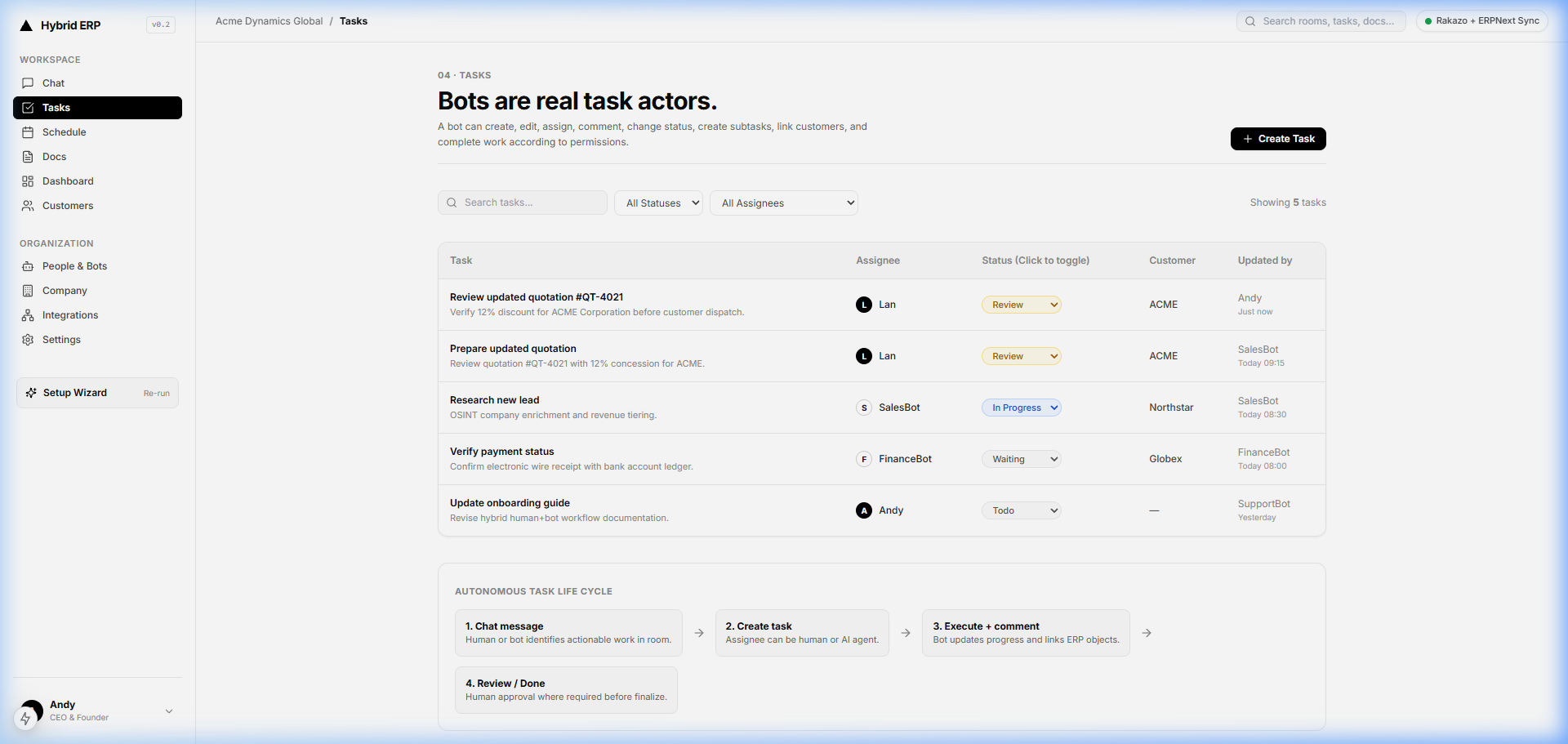
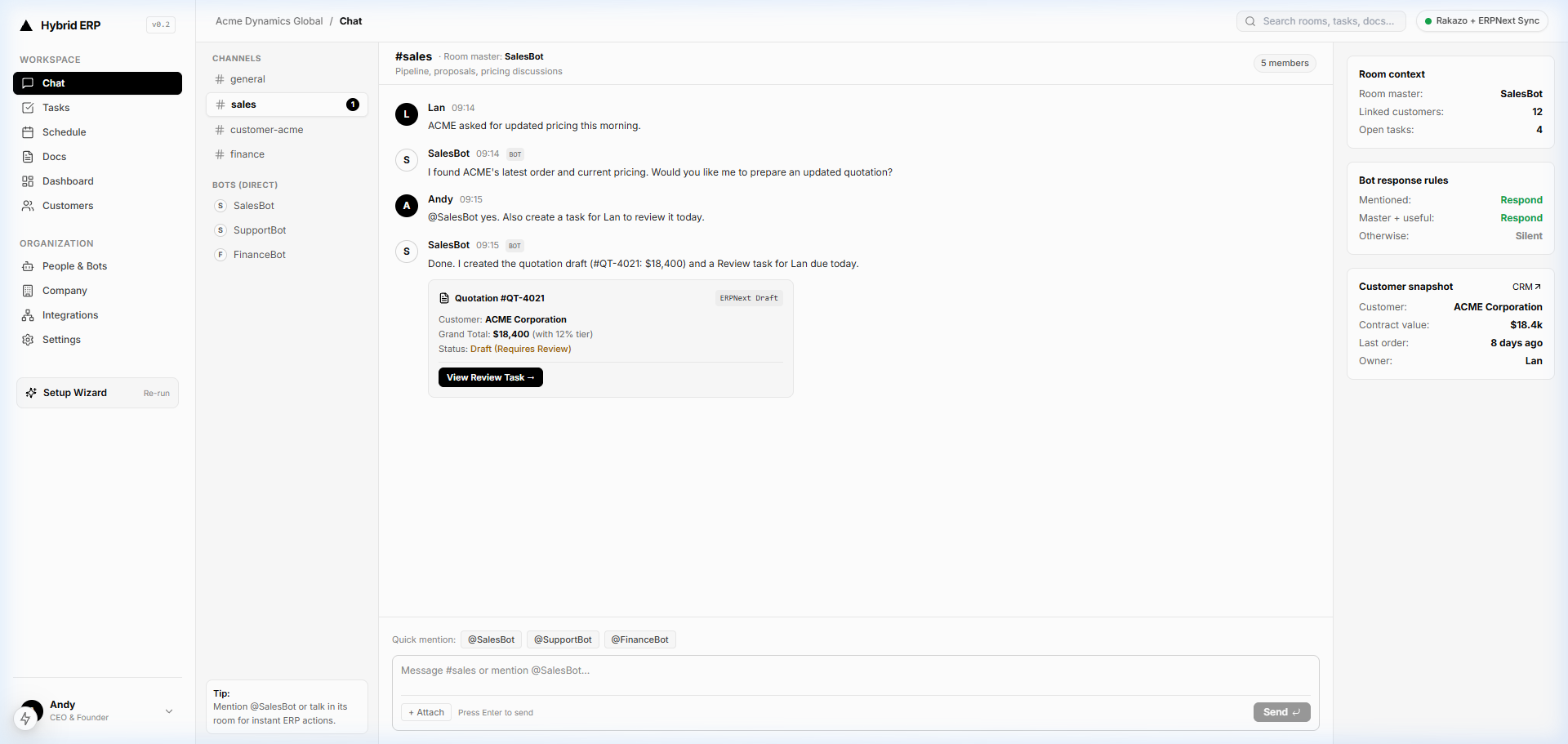
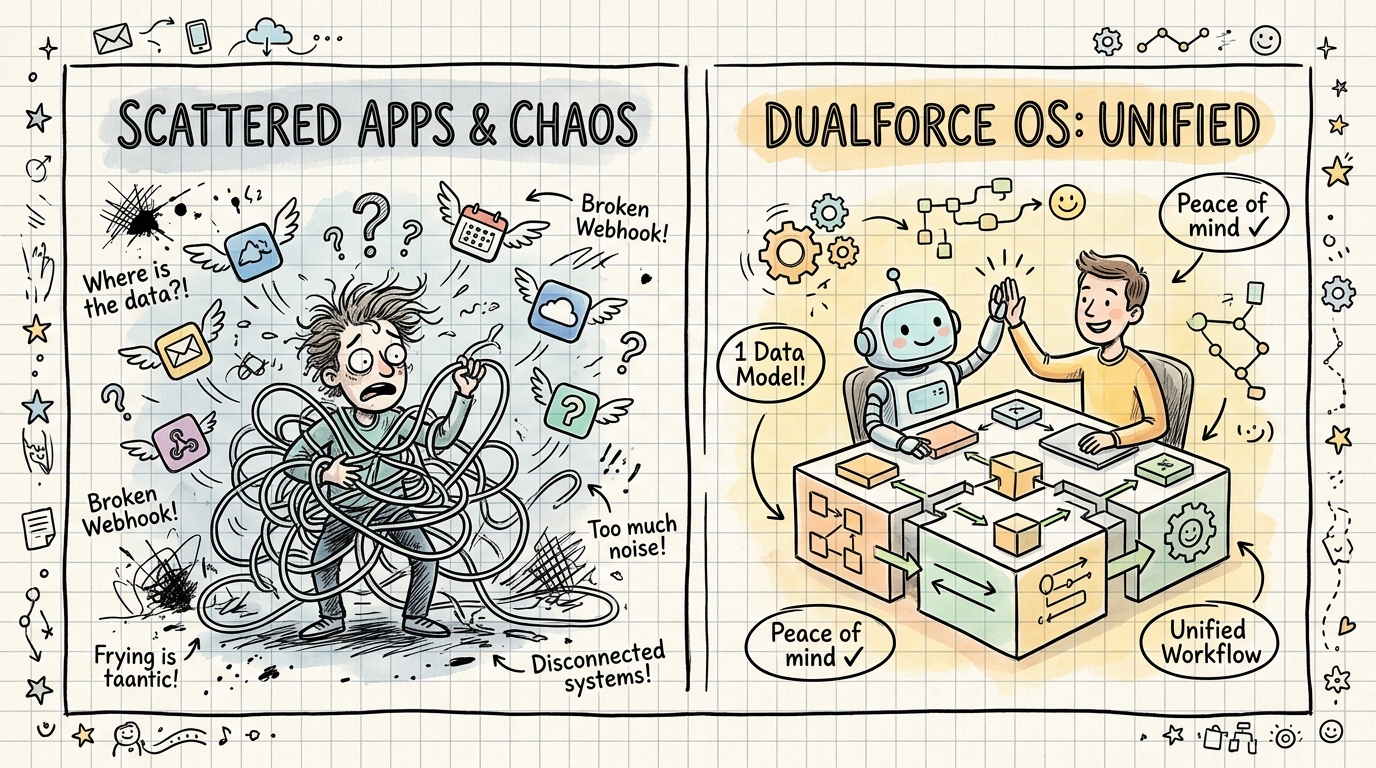
DualforceOS brings people, department AI Agents, Docs & OCR, Tasks & Kanban, In-stream ERP Objects, and a double-entry ERP engine into one chat-first enterprise workspace. Instead of exporting CSVs or syncing across disconnected apps, invoice extraction, cross-team exception resolution, human sign-off, and ledger posting happen on the same shared data foundation.
- Best fit: Growing and mid-market companies where the bottleneck is not just reading PDFs, but coordinating Procurement, Warehouse, budget owners, and Finance under strict permission gates without stitching together separate chat, OCR, task, and ERP tools.
- Trade-off: Organizations wanting only a lightweight OCR API to feed an existing legacy mainframe without changing cross-team workflows may prefer a standalone API parser.
Comparison Table 1: 4 Invoice OCR Software Architectures
| Evaluation Dimension | Bookkeeping Capture Tools (e.g., Dext) | API-First Document AI (e.g., Docsumo) | Enterprise Standalone IDP (e.g., Rossum) | Governed Human + AI OS (DualforceOS) |
|---|---|---|---|---|
| Primary Buyer Profile | SMBs & accounting firms on Xero / QuickBooks | Ops & engineering teams wiring custom pipelines | High-volume global AP shared-service centers | Mid-market & scaling teams unifying Finance + Ops |
| Header & Multi-Page Table Extraction | Strong on receipts & standard supplier bills | Configurable table & cross-document schemas | Multi-language transactional LLM (276 languages) | Multi-modal Docs & OCR into structured ERP objects |
| 2-Way & 3-Way PO Matching | Basic bill-to-bank & supplier rules | Rule checks via API / custom master-data sync | Deep ERP master-data & PO cross-validation | Native PO, receiving, & invoice checks on shared ERP |
| Cross-Department Exception Handoffs | Accountant-client comments | Exception queue + automated email requests | AP queue + automated vendor emails | Object-threaded Chat Hub + Tasks & Kanban |
| Human Approval Governance | Standard expense & bill approval routing | Pass/fail case review queue with logs | Rule-based AP auto-approve / reject workflows | 5 AI execution levels + 1-click Attention Center |
| Ledger & Audit Integration | Syncs to external SMB accounting software | Webhook / JSON export to external systems | Connector sync to external enterprise ERPs | Native In-stream ERP Objects + Audit Trail |
Comparison Table 2: Technical Pilot Scorecard for Finance Teams
| Pilot Test Scenario | Failure Trap to Watch For | Minimum Acceptance Standard |
|---|---|---|
| 1. Multi-page SKU invoice (5+ pages) | Dropping rows across page breaks or capturing page subtotals as extra line items | 100% arithmetic parity (Sum of lines = Subtotal) before posting |
| 2. Skewed mobile scan (<300 DPI) | Silently guessing blurred digits instead of flagging low confidence | Explicit field-level confidence alert + bounding-box highlight |
3. Vendor credit memo (-$450.00) | Importing a negative credit note as a positive payable invoice | Automatic classification as Credit Note reducing open vendor balance |
| 4. Duplicate bill via email + portal | Catching identical invoice IDs only; missing INV-0048 vs. INV-48 | Fuzzy duplicate hold on (Vendor + Amount + Date window) |
| 5. Unit-price overcharge vs. PO | Requiring AP staff to check PO screens manually in another tab | Automatic tolerance hold showing exact unit-price delta |
| 6. Altered vendor IBAN / ACH footer | Overwriting master remittance details or queueing payment unverified | Immediate critical quarantine requiring controller sign-off |
| 7. Total Operating Cost (TCO) | Low base price paired with per-page overages, integration maintenance, and manual rework | Transparent pricing plus measured minutes spent per exception |
How DualforceOS Runs Governed Invoice Processing
In DualforceOS, invoice OCR is an operational step inside a governed workflow rather than an isolated scanning utility. When a supplier bill arrives via upload or inside a department Chat Hub, Docs & OCR parses header fields, tax breakdowns, and multi-page line items directly into structured records.
Execution follows DualforceOS's 5 AI execution levels:
- Auto (Read / Draft / Update): @FinanceBot reads Vendor Master and open PO data, cross-checks warehouse receiving context alongside @OpsBot, flags arithmetic or duplicate anomalies, and drafts an In-stream ERP Object with proposed GL allocations.
- Approval (Sign-off / Critical): Invoices with unit-price variances, low-confidence scans, unverified vendor changes, or amounts requiring budget-owner authority never post silently. They route straight to the responsible manager's Attention Center for 1-click human sign-off, keeping conversation context attached to the invoice object rather than scattered across chat channels.
- Double-Entry Ledger & Audit Trail: Once approved, the voucher posts directly to the shared double-entry ERP ledger (see Real-Time General Ledger Sync: Putting an End to Month-End Close Panic ), recording every agent action, human edit, permission level, and approval timestamp in an immutable Audit Trail.
9-Point Evaluation Checklist Before Choosing Invoice OCR Software
Run this practical pilot checklist with your AP and Operations leads before signing an annual software contract:
- [ ] Assemble a 50 to 100 invoice test batch: Include clean native PDFs, skewed mobile photos, multi-page inventory tables, foreign-currency bills, freight surcharges, and vendor credit memos.
- [ ] Enforce a 300 DPI scan baseline where paper remains: Following Stripe's OCR implementation guidance , verify scanner settings at 300 DPI or higher and test how the software handles sub-300 DPI vendor attachments.
- [ ] Score field-level and table-level accuracy separately: Measure exact-match rates on Vendor ID, Invoice Date, Due Date, Line Quantity, Unit Price, Tax, and Gross Total without manual template setup.
- [ ] Plant three deliberate exceptions: Include one duplicate invoice with a modified prefix, one bill with a $2.50 unit-price overcharge against a PO, and one PDF with changed bank routing numbers to verify automatic holds.
- [ ] Verify mathematical cross-footing: Confirm that the system recalculates every line item and blocks vouchers whose line totals plus tax and freight do not equal the header total.
- [ ] Test cross-department exception handoffs: Measure how many clicks and tools it takes for AP to ask Warehouse or Procurement about a missing receiving slip and keep that answer attached to the voucher.
- [ ] Audit role-based approval gates: Confirm that junior staff or AI agents can draft vouchers while final sign-off and payment release enforce strict role and dollar-threshold permissions.
- [ ] Inspect the exported audit package: Pull a completed transaction record and verify that an external auditor can see the original PDF, bounding-box source coordinates, edit history, and approver timestamp in one view.
- [ ] Calculate true cost per processed invoice: Combine subscription fees (user-based vs. per-document tiers), ERP connector maintenance, and the staff time still required to resolve exceptions.
Related Reading on the DualforceOS Blog
- Autonomous 3-Way Matching: Verifying Purchase Orders, Vendor Bills, and Receiving Slips
- The Human-in-the-Loop Imperative: Scaling Autonomy Without Losing Compliance
- Real-Time General Ledger Sync: Putting an End to Month-End Close Panic
- How Chat-First Object Threading Eliminates Slack Noise and Lost Email Chains
Editorial & SEO Metadata (Internal Notes)
- SEO Title: Best OCR Software for Invoice Processing (2026 AP Guide) (56 characters)
- Meta Description: Compare the best OCR software for invoice processing across table extraction, 3-way PO matching, duplicate controls, human approvals, and ERP sync. (147 characters)
- Suggested Slug:
best-ocr-software-for-invoice-processing - Primary Keyword:
best ocr software for invoice processing - Secondary Keywords:
best ocr software for invoices,ocr invoice processing software,automated invoice data capture,3-way matching invoice ocr - Target Persona: Finance Director / Controller / Accounts Payable Lead
- Structured Data Note: Article and FAQPage Schema.org JSON-LD are generated automatically by the DualforceOS Blog CMS upon publish from the exact FAQ questions and answers above (kept out of the reading draft for clean editorial review).
- Compliance & Brand Voice Check: All DualforceOS capabilities strictly match the Product Master (
Docs & OCR,Chat Hub,Tasks & Kanban,@FinanceBot,@OpsBot,In-stream ERP Objects, 5 execution levelsAuto: Read / Draft / UpdateandApproval: Sign-off / Critical,Attention Center,Audit Trail). External benchmarks and vendor facts are cited directly to primary sources read on 2026-11-11 (bill.com,stripe.com,irs.gov,dext.com,docsumo.com,rossum.ai). Internal links point exclusively to verified live DualforceOS blog URLs.
Related articles
Chat-First ERP: What It Changes, and Where Forms Still Win
The Smartphone Moment for ERP: Why Business Systems Must Be Conversational
How Chat-First Object Threading Eliminates Slack Noise and Lost Email Chains
FAQ
Is high OCR accuracy enough to automate accounts payable?
No. Character recognition only turns pixels into text strings. Reliable accounts payable automation also requires vendor entity resolution, line-item mathematical cross-footing, duplicate invoice detection, 2-way or 3-way purchase-order matching, and role-based human approval gates before entries post to the general ledger.
What is the difference between template-based OCR and multi-modal AI invoice processing?
Template-based OCR relies on fixed X-Y coordinate zones for each vendor layout, breaking whenever a supplier changes fonts, columns, or page breaks. Multi-modal AI document intelligence reads spatial layout and accounting context together, extracting headers and multi-page line items across unfamiliar vendor formats without manual bounding-box setup.
How should finance teams set tolerance thresholds for automated invoice matching?
Most finance teams configure dual tolerances combining a percentage cap and an absolute dollar cap (such as ±1% or ±$10, whichever is lower) for minor tax or currency rounding. Any unit-price overcharge, unreceived quantity, or bank-account discrepancy should bypass auto-approval and route to a human reviewer.
When should an invoice require mandatory human sign-off?
Invoices should trigger mandatory human sign-off whenever field extraction confidence drops below threshold, PO prices or quantities exceed tolerance bands, a non-PO bill crosses departmental budget limits, a supplier submits updated bank routing details, or fuzzy duplicate rules detect a potential double billing.
How does DualforceOS differ from standalone OCR tools?
Standalone OCR tools extract invoice fields and export data to separate accounting, chat, and task apps. DualforceOS combines Docs & OCR with @FinanceBot, department Chat Hub, Tasks & Kanban, 1-click sign-off in Attention Center, In-stream ERP Objects, and a double-entry ledger in one governed workspace. Explore how it works or review current plans on dualforceos.com.
The DualforceOS team builds the chat-first enterprise operating system where human operators and AI agents share one workspace, structured business records, and human-governed approvals.
Discussion
No comments yet